You get an email that looks like it comes from your bank, your boss, or a delivery company. It says something is wrong and you must act right now. That sense of urgency is the whole trick. This is phishing, and it remains one of the most common ways attackers get into personal accounts and company systems.
What is phishing?
Phishing is a type of social engineering attack. The attacker sends a message pretending to be someone you trust, in order to make you hand over something valuable (a password, a one-time code, payment details) or install malware. It targets people rather than software, which is why even well-protected systems can be affected.
Common types of phishing
- Email phishing: mass messages impersonating banks, online services or delivery companies, usually with a link to a fake login page.
- Spear phishing: a targeted message written for one person or team, using real names, projects or vendors to look convincing.
- Business email compromise (BEC) and whaling: messages that impersonate executives or suppliers to push through a payment or change bank details.
- Smishing: phishing by SMS or messaging apps such as WhatsApp or Telegram, often about parcels, prizes or account problems.
- Vishing: phone calls from someone claiming to be from your bank, IT support or an authority.
- QR code phishing: a QR code on a poster, email or letter that leads to a malicious page.
- Fake login pages: look-alike websites that copy a real service and capture whatever you type.
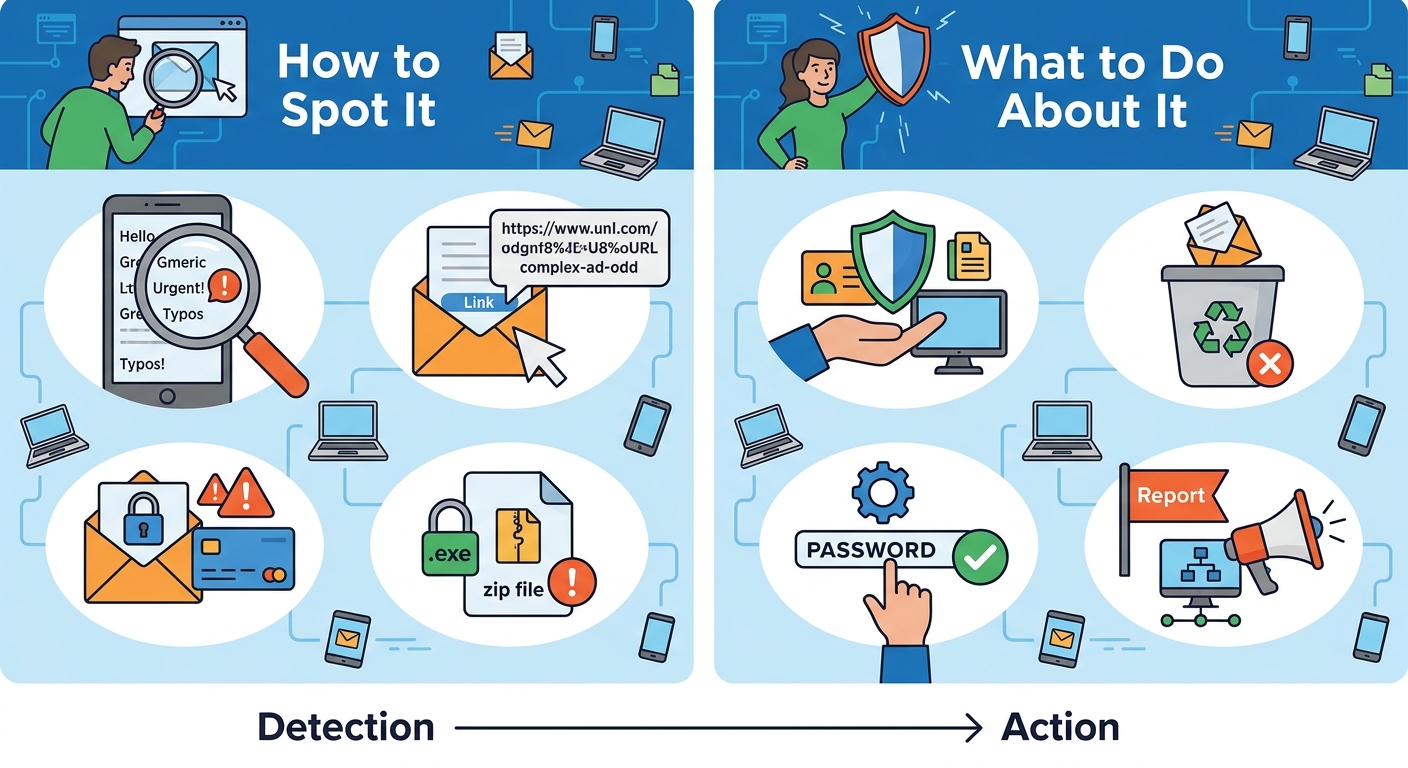
How to spot a phishing message
No single sign proves a message is fake, but several together are a strong warning.
- Urgency or threats. "Your account will be closed in 24 hours" is designed to make you skip thinking.
- An unexpected request. Passwords, one-time codes, gift cards or urgent payments should never be requested by message.
- A sender that is almost right. Check the full address, not just the display name. Small spelling changes in a domain are common.
- Links that do not match. Hover over a link (or press and hold on a phone) to see where it really goes before you open it.
- Unexpected attachments. Be careful with invoices, "voice messages" and documents you were not expecting.
- Pressure to skip the normal process. A real colleague or supplier can wait while you verify.
- Something too good to be true. Unexpected prizes, refunds and job offers are classic bait.
What to do with a suspicious message
- Stop and do not click. Do not open attachments or scan QR codes in the message.
- Verify through another channel. Open the official website by typing the address yourself, or call the organization using a number you already trust.
- Report it. Use the report button in your email app, or forward it to your IT or security team.
- Delete it once it has been reported.
What to do if you already clicked or entered your details
It happens to careful people too. What matters is how quickly you act.
- Change the password of the affected account right away, using a device you trust. Change it anywhere else you reused it.
- Turn on multi-factor authentication and sign out of all other sessions.
- Check the account for changes such as new email forwarding rules, new recovery addresses or unknown devices.
- If money or card details were involved, contact your bank immediately.
- If you opened an attachment, disconnect the device from the network and have it checked.
- Tell your IT or security team if it was a work account. Reporting early limits the damage and is never held against you.
How to protect yourself
- Use multi-factor authentication everywhere it is offered. Authenticator apps, security keys and passkeys are stronger than SMS codes.
- Use a password manager. It fills credentials only on the real site, so a look-alike page is a visible warning.
- Never share one-time codes with anyone, including people claiming to be support staff.
- Type addresses or use bookmarks for banking and important accounts instead of following links in messages.
- Keep devices and apps updated so a malicious file has fewer weaknesses to use.
- Slow down when a message creates urgency. Taking a minute to verify costs very little.
For businesses and teams
- Train people regularly and run realistic phishing simulations, so employees practice spotting and reporting attacks before a real one arrives. Tools such as GetPhishGuard are built for exactly this.
- Make reporting easy and respond kindly to people who report, even when it turns out to be harmless.
- Protect your own domain with SPF, DKIM and DMARC so attackers cannot easily send email that pretends to be you.
- Verify payment changes by calling a known number. A new bank account on an invoice should always be confirmed.
- Limit access. Give people only the permissions they need, so one stolen account does less harm.
Quick checklist
- Is the message unexpected, urgent or emotional?
- Does the sender address and link really match the organization?
- Is it asking for a password, a code, money or a download?
- Have I verified it through a channel I already trust?
Key takeaway
Phishing works by rushing you. You do not need to be a security expert to defend against it: pause, verify through another channel, and report anything suspicious. Combined with multi-factor authentication and a password manager, those habits stop the large majority of everyday phishing attempts.